Everything you need to understand a quake
Clear explanations, a map you read at a glance, alerts for your areas and tools to be ready, even without a network.
Understand a quake in a few lines
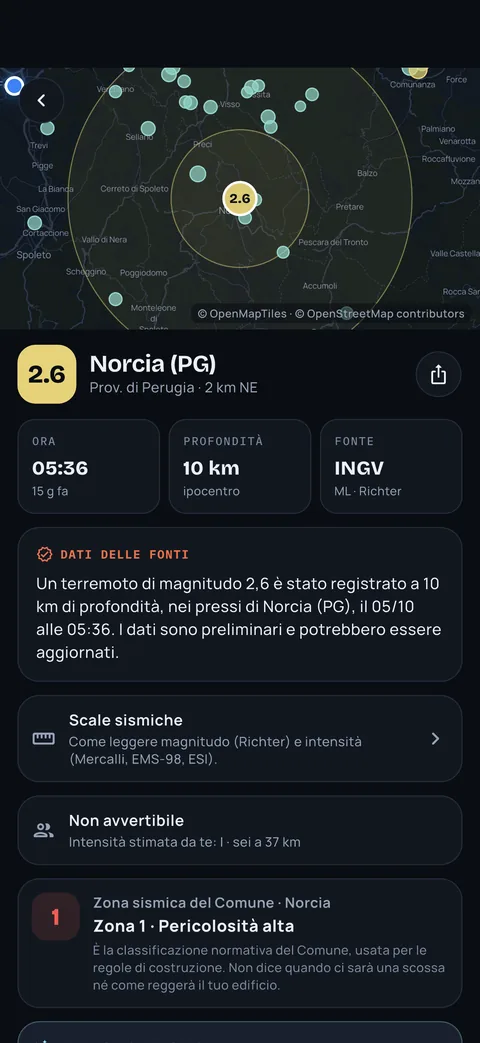
Every quake has two separate texts. The summary is built from the source data. The explanation is written by an AI and sits in a labelled box, so you never mistake it for the official figure.
- What happened, how strong, and how far away
- The AI explanation is always kept apart from the official figure
- Every text shows its source and update time
- Depth
- 3 km
- Source
- USGS
- Updated
- 11:52
A light quake, only 3 km deep. Near the epicentre many people felt it as a sharp jolt or a short vibration. Quakes of this size rarely cause damage. Smaller aftershocks may follow in the next hours.
It may contain errors: when in doubt, the source figure prevails.
Illustrative examples. In the app the explanation comes with every quake, in your language.
Estimated intensity and seismic zone
The app estimates how strong the shaking was where you are and shows the seismic zone of your town. The table of 8,009 municipalities is built into the app, so it works offline too.
The estimate uses an empirical attenuation relation and is indicative: it does not replace official surveys.
Indicative estimate using an empirical attenuation relation and an 8 km depth: it does not replace official surveys. In the app it is computed for your home and the areas you follow.
Some people indoors feel a light vibration.
A map with active faults
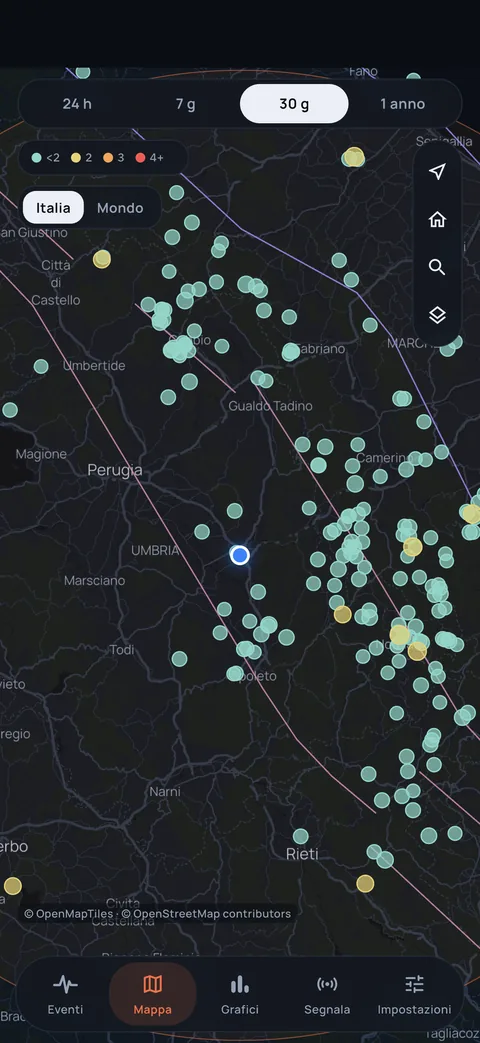
One dot per quake, larger when the magnitude is higher, on a clean map. You can switch on the active faults layer (GEM Global Active Faults project) to see the geological context.
The faults layer is built into the app and needs no connection. GEM data, CC BY-SA 4.0 licence.
Alerts for your areas
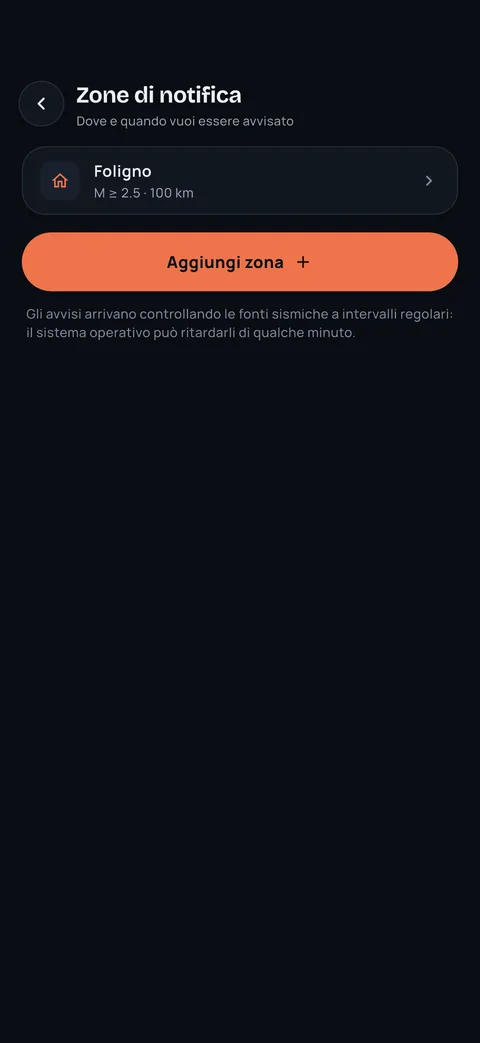
Choose a minimum magnitude and radius for each area: you receive only what you decided to know. After a significant quake you can follow the seismic sequence and get updates.
- Up to two areas free, unlimited areas with Plus
- Seismic sequences: follow an area after a significant quake
- Quiet hours for the night, with Plus
Alerts arrive after the quake: they depend on when the source publishes the event and on the phone's notification system, so they can be delayed.
Try it on your phone
Get Epicentro and choose which quakes you want to know about. Basic alerts are free and you do not need an account.


Epicentro is independent and unofficial. It does not predict earthquakes.
I felt it
Tell us in two taps what you felt. Verified reports appear on the quake page and help show the effects on the area.
Community data, not official. Where available, the app also shows the USGS “Did You Feel It?” data.
Did you feel it?
The report is anonymous. Illustrative example.
Ready, even offline
Emergency mode works without a connection: it reminds you what to do after a quake and shows nearby assembly areas and hospitals, using OpenStreetMap data already saved on your phone.
- What to do after a quake, in a few lines you can read on the move
- Nearby assembly areas and hospitals, saved on your phone
- A personal quake diary, with a PDF report for Plus users
Assembly area data may be incomplete. For official guidance follow your town's emergency plan and call 112.
-
Protect yourselfUnder a sturdy table or next to a load-bearing wall, away from glass. Wait until it stops.
-
Stay still for 30 secondsAftershocks can come right after. Do not use the lift.
-
Check gas, water and powerIf you smell gas, shut the meter and do not light flames.
-
Leave if the building is damagedClosed shoes, documents and phone. Take the stairs.
-
Go to the assembly areaFollow your town's plan: the app shows the nearest one.
Illustrative example. In the app, areas and hospitals are the ones near you, with OpenStreetMap data saved on your phone.
Your people, at hand
After a significant quake you can ask your loved ones “Are you OK?” with one tap. Each person answers from their own phone and you see who has replied.
Family check-in is a Plus feature. Whoever receives the request decides whether to reply.
Are you OK?
Illustrative example.
On Home, Lock Screen and wrist
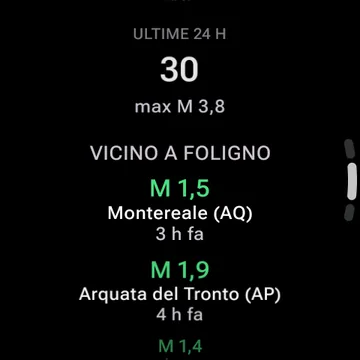
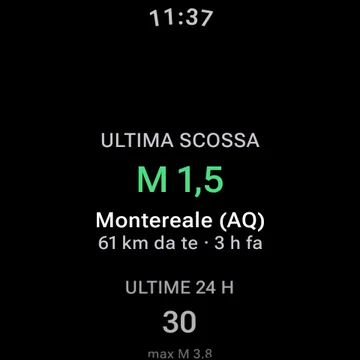
A widget with the latest quake near you, and an Apple Watch and Wear OS app designed for a single glance.
Share it like a story, in your language
Create a quake image ready for stories and send the summary with one tap. The app is available in seven languages.
Free and Plus, side by side
Basic safety alerts always stay free.
| Feature | Free | Plus |
|---|---|---|
| Basic safety alerts | Yes | Yes |
| Events in Italy and at sea, 24 hours and 7 days | Yes | Yes |
| Short summary (with AI label) | Yes | Yes |
| Aftershock probability | Basic | Detailed |
| Worldwide and history | Latest events | Full archive |
| Areas followed | 2 | Unlimited |
| Family check-in “Are you OK?” | No | Yes |
| Simulator | 1 scenario | Custom |
| PDF diary report | No | Yes |
| Quiet hours | No | Yes |
Price and free trial as shown by the store.
Know what happened, without panic.
Get Epicentro and choose which quakes you want to know about. Basic alerts are free and you do not need an account.
Epicentro is independent and unofficial. It does not predict earthquakes.